|
Dear job seeker,
You've updated your resume. You've worked on your LinkedIn profile. You're applying for jobs, and you're STILL wondering why recruiters aren't finding you.
And now LinkedIn has a new AI recruiting tool to worry about. Fabulous.
LinkedIn's Hiring Assistant 2 is rolling out this month, and it's changing some of the ways recruiters can find and evaluate candidates.
The AI can use information beyond your LinkedIn profile, including resumes in connected applicant tracking systems, screening answers, verification, and supported Connected Apps.
It can also learn from recruiters' previous preferences and activity to personalize candidate recommendations.
Does that mean you need to rewrite your entire LinkedIn profile?
Probably not, assuming you're already doing the fundamentals well.
But there are a few things I'd recommend checking.
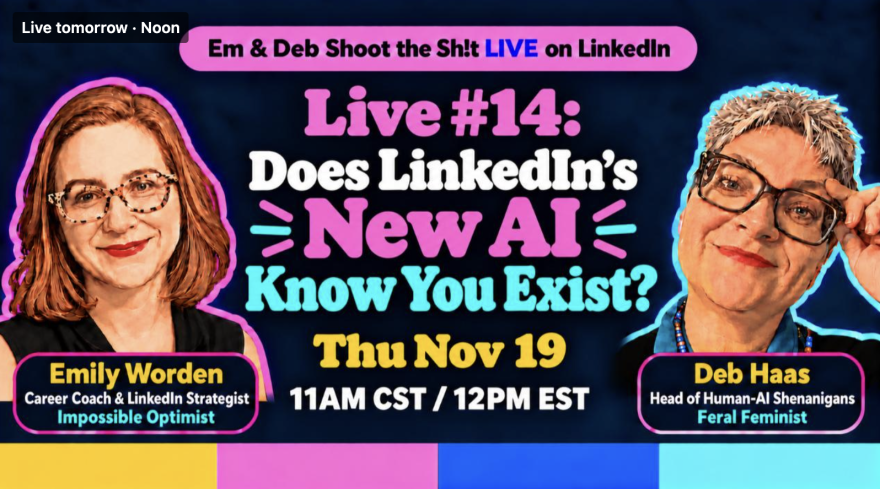
Tomorrow, Deb and I are digging into all of this on our free LinkedIn Live. We'll explain what recruiters' AI can actually see, which profile changes are worth your time, and share a practical AI prompt to help you evaluate how clearly your qualifications come across.
Thursday, November 19 @ 12 PM ET
Can't attend live? Register anyway and you'll get the replay.
Register for LinkedIn Live
And if you'd like the deeper explanation of what's changing, I broke it down in today's LinkedIn newsletter.
Your 10-minute LinkedIn profile audit
Here are five things to check before rewriting your whole profile:
1) Job titles and keywords. Are you using the most basic, searchable, generic, and recognizable job titles and relevant skills employers search for?
What job job titles and skills do you see in the job descriptions that interest you? This language should be all over your Headline, About, Experience, and Skills sections.
2) Open to Work preferences. Is the feature still enabled if you want it to be? Are your target titles, locations, and work arrangements accurate?
Pro Tip: A good habit is to turn off your Open to Work occasionally and then turn it back on. This "refreshes" your profile in LinkedIn and you look newly Open to Work.
3) Evidence of your experience. Pick a job you're qualified for and identify its three most important requirements. Does your Experience section clearly demonstrate that you've done that work?
As you'll see in my newsletter, LinkedIn's new Hiring Assistant 2 is using AI to read the context behind your profile, so details about your experience matter.
4) Verification and work samples. Hiring Assistant 2 is noting "Verified" profiles, and recruiters are really jazzed about this. Consider LinkedIn verification if you're eligible and comfortable with the privacy requirements.
Hiring Assistant 2 also links to exterior portfolio sites (via Connected Apps), so link relevant portfolio sites to your profile.
5) Consistency. Hiring Assistant 2 reviews your resume and LinkedIn together to give recruiters a rounded view of your experience. Do your resume and LinkedIn profile tell the same accurate professional story?
They don't need identical wording, but important dates, responsibilities, and accomplishments shouldn't contradict each other.
You don't need to tackle all five today. Start with whichever area needs the most attention.
And remember, these are good LinkedIn practices regardless of whether an employer uses Hiring Assistant 2.
Does LinkedIn's New AI Know You Exist?
Join us tomorrow for Does LinkedIn's New AI Know You Exist?
We'll answer your questions, share practical advice, and probably use some NSFW language.
Thursday, November 19 @ 12 PM ET
Can't make it live? Register anyway and you'll get the replay.
Register for LinkedIn Live
I'm rooting for you. 👊
Emily
Emily Worden
MBA, CPCC
Certified Career Coach • LinkedIn Strategist • Impossible Optimist
You spend 1/3 of your life working.
You might as well enjoy it.
|